The receipt lands in their inbox
A small TapReceipt card sits next to your card reader. After paying, the customer taps their phone on it and their itemised receipt opens on screen and goes to their email. No app, no QR code, no paper, nothing for staff to press.
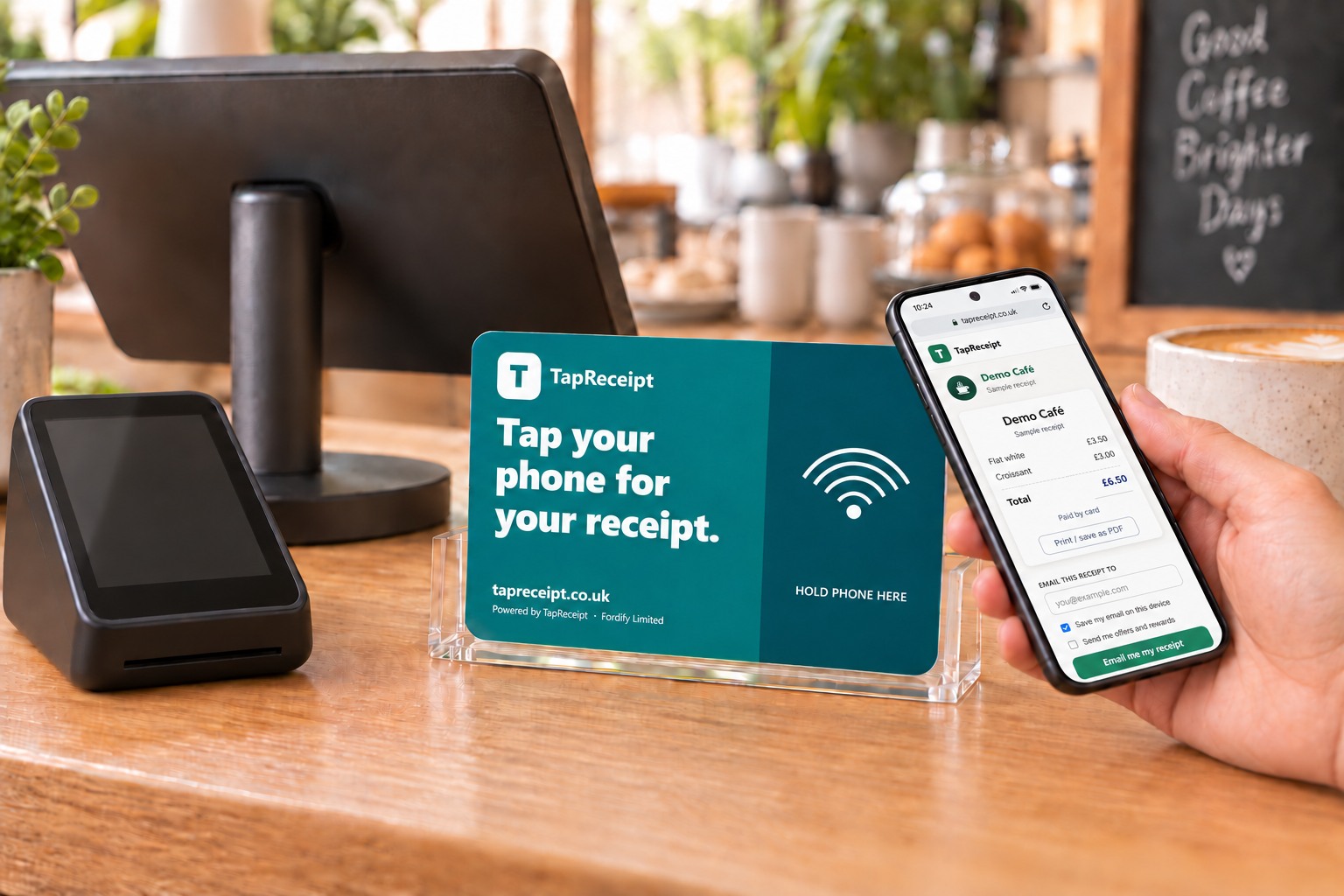
Less paper at the counter. A customer list that's yours.
Fewer receipts to print and reprint
Customers who want a receipt get it on their phone and in their inbox; the printer keeps working for everyone else. Nothing is lost in a coat pocket.
Enter the email once
The first tap asks for an email. If the customer leaves "Save my email to this device" ticked, every later tap — at your shop or any shop using TapReceipt — sends the receipt automatically.
A marketing list you own
Customers can tick to hear from you. Those opt-ins are recorded per shop and belong to you, not to your card machine provider.
| Time | Till | Total | Receipt |
|---|---|---|---|
| 10:42 | Till 1 | £9.50 | Emailed |
| 10:39 | Till 2 | £14.20 | Emailed |
| 10:31 | Till 1 | £3.20 | Not tapped |
| 10:27 | Till 3 | £22.60 | Emailed |
Every sale, every tap, every till
TapReceipt reads each completed sale from your till system, so the dashboard shows the whole picture — not just the customers who tapped.
- ✓ Daily and monthly sales, with the receipt opt-in rate
- ✓ Repeat customers and busiest tills
- ✓ Email delivery status, and a resend button for the rare failure
- ✓ Name each till; one card per till so you can see where every sale happened
- ✓ Monthly summary by email; invoices generated for you
Receipts carry your logo, trading name, address, VAT number and company number — the details a customer needs for an expense claim or a return.
Connects to the card machine you already use
You log in with your normal Square, Zettle or Lightspeed account — no API keys, no developer, nothing installed on the till. Staff keep ringing up sales exactly as they do now.
On something else? Tell us which till and we'll say straight away whether we can support it. All integrations →
Four steps, about ten minutes
Create your account
Business name, email, password. Verify your email and you're in — about 30 seconds, no card details.
Connect your till
Click Connect next to Square, Zettle or Lightspeed and log in. About a minute.
Card arrives in the post
Already linked to your till, in a small stand, postage paid. Put it next to the card reader.
Customers tap
Receipt opens on their phone, email entered once, automatic from then on. About five seconds at the till.
The things shops ask
Is tapping the card a payment?
No. The customer pays on your card machine exactly as now. Tapping the TapReceipt card afterwards only opens the receipt for that sale — nothing is charged and no card details are involved.
What does it cost?
Creating an account is free, and so is the card and stand for each till. You pay 2p per receipt that is actually emailed, with a £10 minimum only in months you send receipts; a month with none costs nothing. The first 100 businesses get three months free from the day the card arrives.
Do customers need an app?
No. iPhones (XS and newer automatically; 7 to X via the NFC reader in Control Centre) and Android phones with NFC switched on open the receipt page straight from the tap.
What if a customer doesn't want to share their email?
They don't have to. No tap, no email, no charge — your printer keeps working as before.
Is it UK GDPR compliant?
Built to be. We act as your data processor under Article 28; customers can view, export or delete their data from the Settings link on any receipt. Marketing consent is recorded per shop. Privacy Policy · DPA.
I run a trade, not a shop — is this for me?
Probably the review card is: it needs no till and puts a Google review request in the customer's hand at the end of the job. Businesses with a till and a van can run both cards on one login.
Ready to put a card by the reader?
Free account, free card per till, first 100 businesses get three months free.